
microSD Card Buyer’s Guide: How to Choose the Right Card
Is your smartphone running out of space? Your Nintendo Switch flashing a "Storage Full" message? Your new 4K camera stuttering mid-recording? Choosing a microSD card seems simple on the surface, but between the different standards, speed classes, and capacities, the tech aisle can quickly become a real headache.
This guide is here to cut through the noise. Our mission: to give you all the keys to choosing the perfect micro SD memory card for your devices and needs, without drowning you in impenetrable technical jargon.
Capacity, Speed, Endurance: The 3 Key Criteria for Making the Right Choice
Before diving in headfirst, there are three points to examine closely: capacity, speed, and endurance.
Capacity: 128?GB, 256?GB, or More?
This is often the first number people look at, and for good reason. The required storage capacity depends entirely on how you plan to use your card.
- For everyday use (smartphone, tablet, Nintendo Switch): A 128?GB microSD card is an excellent compromise. It allows you to store thousands of photos, a host of apps, and several games without a second thought. It's the smart choice for expanding the memory of most consumer devices.
- For creators and demanding gamers: If you often shoot in high definition or your Switch game library is overflowing, a 256?GB microSD card is a must. This will give you peace of mind, so you don't have to constantly juggle your storage space.
- For imaging pros and extreme use cases: Cards with 512?GB, 1?TB, and more are reserved for the true data hoarders. Think drones, action cameras shooting in 4K/8K, or professional camera bodies.
Speed: Deciphering the Jargon That Changes Everything
Don't overlook it! A card's speed is crucial for smooth video recording and fast file transfers. The problem? Several standards coexist on the packaging:
- Speed Class (C10): This is the bare minimum today. A C10 card guarantees 10?MB/s write speed, which is sufficient for Full HD video.
- UHS Speed Class (U1, U3): This is the most common standard. U1 (10?MB/s minimum) is suitable for HD, but to record 4K video without any unpleasant surprises, you should aim for at least the U3 class (30?MB/s minimum). This is the prerequisite for a 4K microSD card worthy of the name.
- Video Speed Class (V30, V60, V90): This standard, designed for videographers, is even clearer. V30 is equivalent to U3 and is the standard for 4K. For 8K streams or spectacular slow-motion footage, the V90 class (90?MB/s minimum) becomes essential.
- Application Performance Class (A1, A2): This is a game-changing detail for Android smartphones. If you plan to install apps on your card, the A1 or A2 classes guarantee responsiveness and reduced loading times. Your user experience will thank you for it.
Endurance: The Forgotten-but-Vital Criterion for Certain Uses
For some devices, longevity is more important than raw speed. A microSD card for a dashcam or a microSD card for a security camera spends its life continuously recording and rewriting data in a loop. A standard card would fail far too quickly. This is where "High Endurance" models come in, designed to withstand thousands of hours of recording without breaking a sweat.
Our Top microSD Card Picks
After the theory, let's get practical. Here are a few models that caught our eye, each tailored to a specific need.
Kingston Technology High Endurance 128GB MicroSD
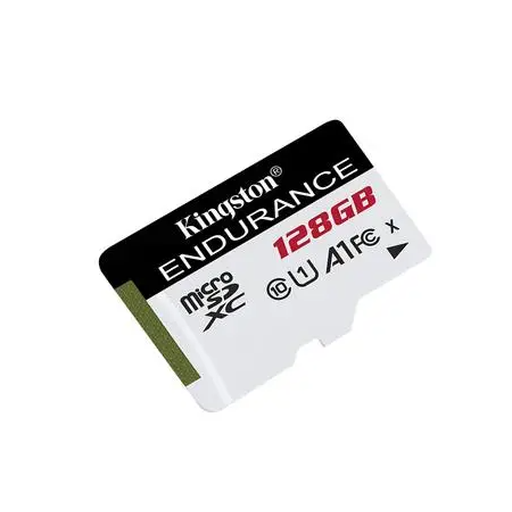
- Why it stands out: Its specialty? Rock-solid reliability. Designed for intensive, continuous writing, it's the worry-free choice for your security devices.
- Highlights:
- Specifically designed for continuous recording (security cameras, dashcams).
- Speeds up to 95?MB/s read and 45?MB/s write.
- Class 10, UHS-I U1, A1 ratings for smooth Full HD 1080p recording.
- Rugged design: resistant to extreme temperatures, shock, water (IPX7), and X-rays.
- Who is it for? Anyone looking for a "set it and forget it" solution for their dashcam microSD card or security camera.
Samsung P9 Express Micro SDXC 512 GB
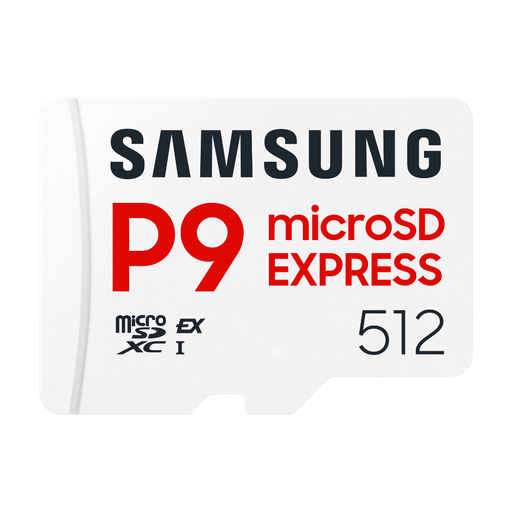
- Why it stands out: It ushers in a new era. Thanks to the SD Express standard, its speeds rival those of an SSD, revolutionising the workflow for imaging professionals.
- Highlights:
- SD Express (PCIe Gen3) interface for peak read speeds of up to 800?MB/s.
- V90 video class, ready for 4K, 6K, and even 8K recording.
- A generous 512?GB capacity for the largest files.
- Backward compatible with UHS-I devices (at lower speeds, of course).
- Who is it for? Professional videographers and photographers who handle 8K files or RAW bursts and for whom every minute of transfer time counts.
Samsung MB-MY256S 256 GB MicroSDXC UHS-I
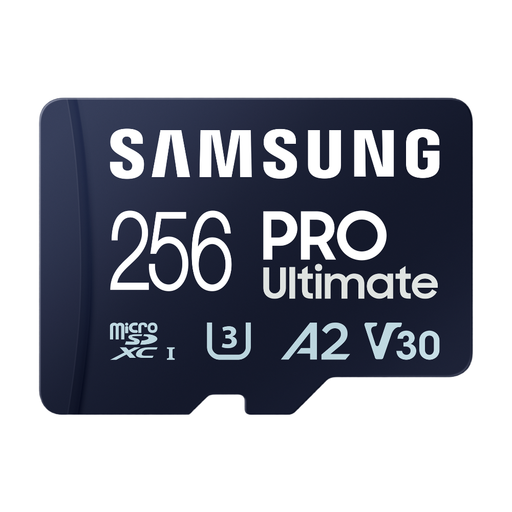
- Why it stands out: It's the champion of versatility. This Samsung microSD card offers a near-perfect balance of capacity, speed, and price, making it a formidable all-rounder for most modern devices.
- Highlights:
- High speeds: up to 200?MB/s read and 130?MB/s write.
- Dual V30 and A2 certification: just as comfortable shooting 4K video as it is launching your apps quickly.
- 256?GB capacity, perfect for smartphones, drones, action cameras, and gaming consoles.
- Who is it for? The ultimate Swiss Army knife. Ideal as an SD card for the Switch, for boosting an Android smartphone, or for equipping a drone or action camera that shoots in 4K.
Can't Find What You're Looking For?
Our selection focuses on specific use cases, but the memory card market is filled with options. If you can't find the perfect fit or simply want to explore other choices, feel free to take a look at our full catalogue.
Discover our full range of UHS SD memory cards to find the model that's perfectly suited to your devices.
Frequently Asked Questions (FAQ)
What's the best microSD card for a Nintendo Switch?
For the Nintendo Switch, choose a UHS-I certified microSDXC card. In terms of capacity, 128?GB or 256?GB is an excellent starting point for building a solid game library. A U1 speed class (or better yet, U3) is a plus for reducing loading times.
How can I be sure a card is compatible with my device?
The first thing you should do is check your device's manual (smartphone, camera, console) or its technical specifications on the manufacturer's website. You'll find two crucial pieces of information there: the type of card accepted (microSDHC, microSDXC) and, most importantly, the maximum supported capacity (e.g., "up to 512?GB"). There's no point in buying a 1?TB card if your device is limited to 256?GB!
Standard vs. "High Endurance" Card: What's the difference?
A standard card is designed for storing and reading data (photos, games, etc.). A "High Endurance" card, on the other hand, is built to withstand intensive and continuous write/erase cycles. This makes it essential for devices that record in a loop, like a dashcam or a security camera. Using a standard card in this scenario would lead to premature wear and almost certain data loss.