
How to Choose the Right Portable Monitor Without Regrets
Thinking about a second screen for your laptop? It's an appealing idea. Whether for remote work, studying, gaming on the go, or mirroring your smartphone's display, a portable screen promises a real boost in productivity and comfort. The only problem: the market is flooded with models featuring often confusing technical specifications, and the pitfalls are numerous. To avoid buyer's remorse, knowing how to decipher a product spec sheet is essential.
This guide breaks down the essential criteria to help you find the portable monitor that fits your needs, while steering you clear of the three most common mistakes.
The 3 Pitfalls to Avoid When Buying a Portable Monitor
Too many users end up disappointed with a device that doesn't meet their expectations. Here are the three most frequent letdowns and our advice on how to avoid them.
- The Single-Cable Connectivity Trap: Many screens boast about their USB-C port, but be warned: not all are created equal. Some only handle power and not the video signal (DisplayPort Alt Mode). The result? A screen that refuses to turn on with a single cable, forcing you to juggle an HDMI connection and a separate power supply. So much for the promised simplicity!
- The Brightness Disappointment: A spec sheet might promise an impressive resolution, but if the brightness (in nits or cd/m?) is too low, the screen becomes unreadable in broad daylight, on a train, or in a brightly lit room. A travel monitor below the 250-300 nits mark is a recipe for frustration.
- The Portability Illusion: A screen may seem thin and light, but if it comes without a stable stand or with a flimsy folio cover that collapses at the slightest touch, using it becomes an ordeal. Stability isn't an option—it's a prerequisite for working comfortably.
Key Technical Specs to Check Before You Buy
To avoid buying blind, focus on these three key points. They are crucial for the compatibility and user comfort of your future second screen for your laptop.
1. Connectivity: USB-C and HDMI
The simplicity of a USB-C portable monitor is its main selling point. For a true plug-and-play experience with a single cable for both power and video, check two things:
- Your source device (PC, smartphone, etc.) must have a USB-C port that supports DisplayPort Alt Mode.
- The portable monitor itself must include at least one "full-function" USB-C port (video + power).
The inclusion of a Mini-HDMI port is a major plus. It ensures broad compatibility, especially with older PCs, game consoles like the Nintendo Switch (via its dock), or cameras. Most reputable models include the necessary cables in the box.
2. Display Quality: Resolution, Size, and Brightness
- Resolution: For screen sizes between 14 and 16 inches, a Full HD (1920 x 1080 pixels) resolution is more than enough for office work and multimedia. For creatives or high-definition enthusiasts, a 2.5K (QHD) or 4K (UHD) resolution on a larger external portable screen will offer far superior sharpness and detail.
- Brightness: This is the critical factor for versatile use.
- 250-300 nits: Sufficient for indoor use in controlled lighting conditions.
- 300-400 nits and above: Essential for working in varied environments (transport, cafés, bright offices).
3. Refresh Rate (Hz): For Work or Play?
The refresh rate, measured in Hertz (Hz), indicates the number of frames the screen can display per second.
- 60 Hz: The standard, perfectly suited for office tasks, web browsing, and video playback.
- 120 Hz or 144 Hz: A must-have for a portable gaming monitor. A high refresh rate delivers incredibly smooth visuals, reducing motion blur in fast-paced games. It's a decisive factor for demanding gamers.
Recommended Portable Monitor Picks
Rather than an endless list, here is a curated selection of models that tick all the right boxes for specific user profiles.
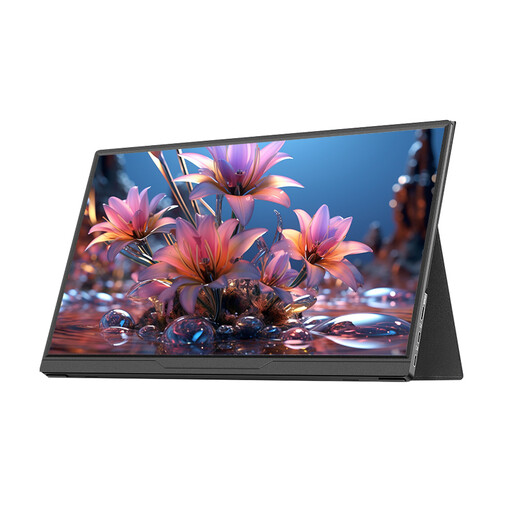
Lepow 15.6-inch Portable Monitor – HD IPS Panel
Who is it for? Ideal for professionals and students looking for a simple and effective solution for multitasking on the go. Its 15.6-inch format and feather-light weight make it a discreet travel companion for extending your desktop anywhere.
It avoids the connectivity trap with its "full-function" USB-C port and mini-HDMI port, ensuring a simple, hassle-free connection and broad compatibility.
FHD IPS Panel: The 1920x1080 screen delivers vibrant colours and wide viewing angles (178°), perfect for office work and multimedia.
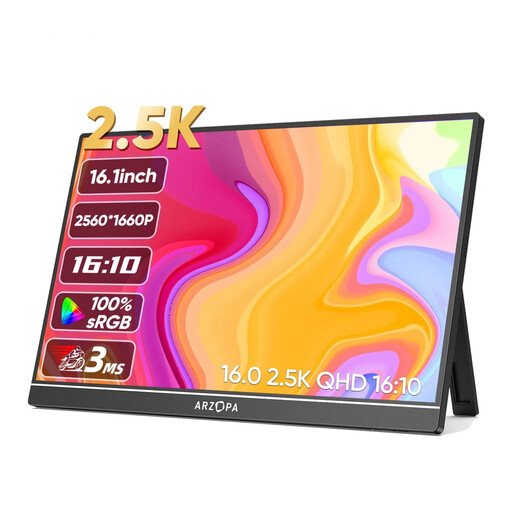
ARZOPA Z1RC 16-inch 2.5K Portable Monitor
Who is it for? Perfect for graphic designers, photographers, or video editors who demand high resolution and colour accuracy on the move. Its 16:10 aspect ratio provides extra vertical space, which is highly appreciated in creative software.
No more dull or pixelated images. With its 2.5K (2560x1600) resolution and 350 nits of brightness, it guarantees sharpness and readability far superior to standard FHD screens.
High Resolution & Rich Colours: The 2.5K IPS panel covering 123% of the sRGB space ensures an ultra-sharp image and accurate colours, essential for creative work.
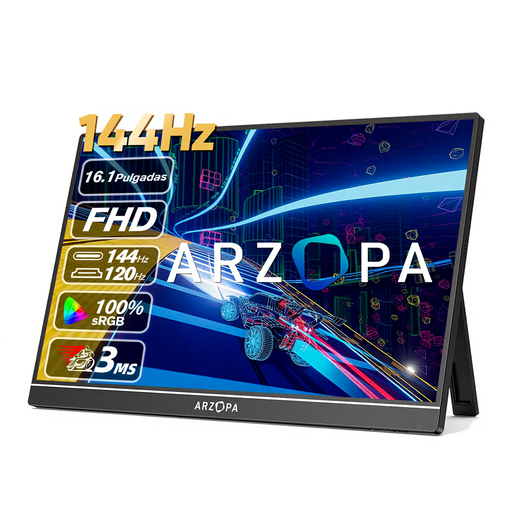
ARZOPA Z1FC 16.1-inch 144Hz FHD Portable Gaming Monitor
Who is it for? Designed for gamers who refuse to sacrifice performance on the go. It's the ideal companion for a Switch, Steam Deck, PS5, or a gaming laptop to play with maximum smoothness.
Say goodbye to ghosting and stuttering, a deal-breaking flaw in gaming. Its 144 Hz refresh rate guarantees ultra-smooth and responsive action.
144 Hz for Smoothness: This is its killer feature for a competitive gaming experience. The 16.1-inch FHD IPS panel also offers great immersion.
Looking for other options?
We have compiled a complete selection of models that meet our quality criteria and current safety standards.
FAQ: Your Questions About Portable Monitors
Does a single USB-C cable really work to power a portable monitor?
Yes, but under two conditions: your source device (PC, smartphone, etc.) must have a USB-C port that handles video (DisplayPort Alt Mode), and the monitor must have a "full-function" USB-C port. This is the case with most modern machines. If not, you'll need to use the HDMI port for the image and a second USB-C cable plugged into a wall outlet for power.
What is the average lifespan of a portable monitor?
With careful use (transporting it in its case, gentle handling of connectors), a quality portable monitor can last for several years, comparable to a desktop monitor. The most common failures involve the ports (USB-C, HDMI) due to rough handling.
Can a portable monitor damage my laptop's battery?
No, it won't damage it. However, it will naturally draw power from your laptop's battery, which will reduce its runtime. For long work sessions away from an outlet, there are two solutions: use an external battery (power bank) that supports Power Delivery to power the screen, or simply lower its brightness to reduce power consumption.