
USB-C Cable Buyer's Guide: Avoid Pitfalls and Choose the Right One
USB-C has established itself as the universal connector, and for good reason: a single cable can now charge your smartphone, laptop, and even your gaming console. However, not all cables are created equal. The wrong choice can result in painfully slow charging, premature wear and tear, or worse, a risk to your valuable devices. Before you settle on a new model, it's crucial to understand the most common pitfalls to save yourself time and money.
As the Head of Product Curation at Joybuy, my mission is to demystify the technical jargon and guide you toward an informed decision. Here are the pitfalls to avoid.
The 3 Pitfalls to Avoid When Buying a USB-C Cable
-
The "Generic Fast Charging" Mirage: Many packages promise "fast charging," but this vague marketing catch-all is meaningless without specific numbers. A cable might be limited to 15W—far too low for a laptop and insufficient for fast-charging a modern smartphone like the Samsung S24. True performance is measured in watts (W) and depends on compatibility with key protocols like Power Delivery (PD).
-
The Connector's Built-in Flaw: The Achilles' heel of most cables? The joint between the connector and the wire. Entry-level models use rigid materials that crack and fray after a few months of bending and plugging, rendering the cable useless.
-
Silent Incompatibility: A cable might seem to work perfectly, but if it isn't specifically designed for your device, it could throttle charging or data transfer speeds. A
MacBook cablerequires high power (often 100W or more), while aPS5 controller cableprioritises length and durability. Using the wrong cable isn't just sub-optimal; in some cases, it can even pose a risk.
The Essential Criteria for a Reliable and Durable USB-C Cable
To avoid these disappointments, three technical specifications deserve your full attention. These are what define a cable's true quality and performance.
1. Power (in Watts) and Power Delivery (PD) Protocol
Power, expressed in watts (W), is the number one criterion for efficient charging. It determines the amount of energy the cable can safely deliver.
- For smartphones and tablets (iPhone 16, Samsung S24): A 60W cable is generally sufficient to take advantage of fast charging.
- For laptops (MacBook, etc.): Aim for a model capable of supporting 100W or more. Power Delivery (PD) technology is essential here: it allows the charger, cable, and device to communicate to optimally adjust the power output.
- For accessories (controllers, headphones): A power rating of 15W to 30W is more than enough.
Always check the maximum supported wattage. An underpowered cable for a power-hungry device will result in excruciatingly slow charging.
2. Design and Materials: The Difference Between 3 Months and 3 Years of Use
A cable's longevity is directly dependent on its construction.
- Outer Sheath: A braided USB-C cable made of nylon or composite fibres offers far better resistance to abrasion and tangling than standard plastic (PVC) sheaths.
- Connector Reinforcement: Favour cables with an extended, flexible strain relief at the base of the connectors. This critical stress point endures the most strain.
- Certifications: The USB-IF (USB Implementers Forum) seal guarantees that the cable meets industry specifications for safety and performance. For Apple device owners, MFi (Made for iPhone/iPad) certification is a mark of compatibility and safety, particularly for Lightning adapters.
3. Length and Connector Type: Everyday Ergonomics
A cable's ease of use is also a factor that shouldn't be overlooked.
- Length: A cable of 2m or longer offers great flexibility for using your device while it charges, whether you're on the sofa or at your desk. For on-the-go use, a 1m model will be more compact.
- Connector Type: The USB-C to USB-C cable is the new standard. It allows you to directly connect modern devices to each other and to recent chargers. USB-A to USB-C cables remain useful for connecting to older chargers or computer ports.
Recommended USB-C Cables
Here are a few models that meet specific needs, selected based on our performance and durability criteria.
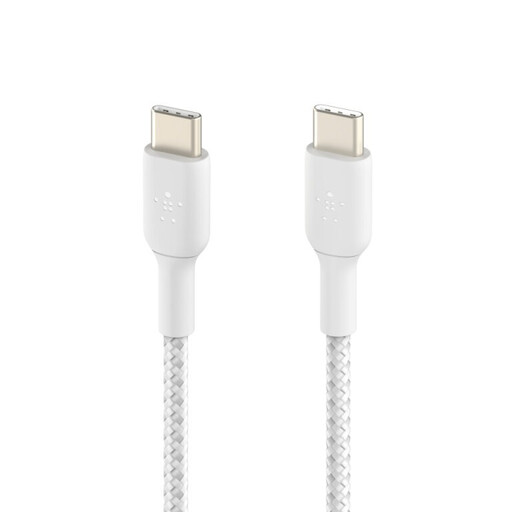
Belkin BoostCharge Braided USB-C to USB-C Cable - 2m
Why we chose it: Perfect for those seeking a versatile and robust cable for home or office use. Its 2-meter length and 60W power output make it an excellent companion for a smartphone, tablet, or ultraportable laptop.
Its high-quality braided sheath is designed to withstand over 30,000 bends, directly countering the problem of premature wear. The USB-IF certification ensures flawless compatibility and safety.
Its 2-meter length offers highly appreciated freedom of movement, and its 60W power output is perfectly calibrated for fast-charging most mobile devices, including the iPhone 16.
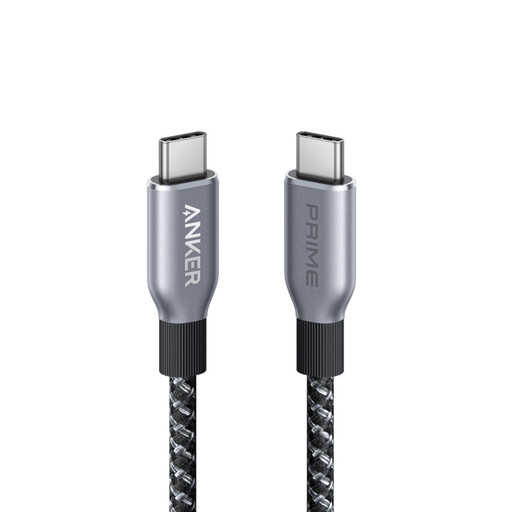
Anker Prime 240W USB-C to USB-C Fast Charging Cable
Why we chose it: For owners of a MacBook Pro or other powerful laptops, this cable is a top-tier solution. It delivers a colossal power output to rapidly charge the most power-hungry devices.
It shatters the vague "fast charging" pitfall by boasting a 240W capacity, far exceeding the standard 100W. This guarantees maximum performance for compatible devices.
Its 240W power output can charge a MacBook Pro (M3 Pro) from 0 to 50% in just 26 minutes, according to the manufacturer's data. Its robust design is engineered for exceptional longevity.
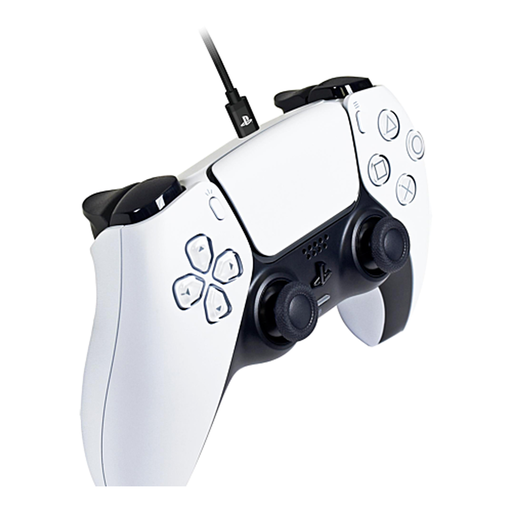
Hori USB-C Charging Cable for DualSense PS5 Controller
Why we chose it: Specially designed for gamers, this 3-meter cable allows you to charge your PS5 controller while continuing to play comfortably, without being tethered to your screen. The official Sony license provides complete peace of mind.
It eliminates the problem of incompatibility and unreliability thanks to its official Sony license. Its braided design and robust metal connectors prevent wear and tear from sudden movements mid-game.
Its extra-long 3-meter length and anti-tangle braided sheath offer unmatched gaming freedom while charging the PS5 controller.
Looking for other options?
We have compiled a complete and up-to-date selection of products that meet these demanding specifications as well as European safety standards.
Frequently Asked Questions
What's the difference between a 60W and a 100W USB-C cable?
A 60W cable is perfect for fast-charging smartphones, tablets, and some ultraportable laptops. However, a 100W (or higher) cable is essential for efficiently powering and recharging more powerful laptops, like a MacBook Pro, which are much more power-hungry. Using a 60W cable on a device that requires 100W will result in extremely slow charging, or even battery drain if the device is in use.
Is a braided cable really more durable?
Yes, in the vast majority of cases. The braided nylon or other textile fibre sheath offers much better protection against friction, cuts, and repeated bending than a standard plastic sheath. The result is a longer lifespan, especially if you tend to carry your cable everywhere or use it in positions that put it under stress.
Can I use any USB-C cable for my iPhone 16 or MacBook?
Absolutely not. It is crucial to choose a suitable cable. For an iPhone 16, a USB-C to USB-C cable of at least 30W that is Power Delivery compatible is recommended to take advantage of fast charging. For a MacBook, you absolutely need a cable capable of handling the power required by your model (usually between 60W and 140W) and certified for Power Delivery. Using an unsuitable cable will throttle the charging speed and, in rare cases, can damage the battery or the device's port.