
How to choose a wireless Xbox controller that suits the way you play
Buying a wireless Xbox controller seems straightforward… until you start looking into compatibility, power options and the different connection modes. A model that’s marketed as versatile might need an adapter on PC, another might only work with a cable, while a rechargeable controller means keeping an eye on the battery life of its built-in cell.
To avoid making the wrong purchase, it’s best to sort through the marketing claims and focus on the features that really matter day to day.
Common pitfalls before you buy
1. Don’t confuse Bluetooth with Xbox Wireless
Bluetooth makes it easy to pair with a Windows PC, a compatible smartphone or certain mobile devices. However, connecting to an Xbox Series X|S or Xbox One can rely on Xbox Wireless technology, which doesn’t work exactly like Bluetooth.
If you plan to switch between devices, check that the controller has all three of the following options:
- Xbox Wireless for playing on console
- Bluetooth for a PC, tablet or compatible smartphone
- USB-C for playing with a cable and avoiding interruptions related to power
2. Don’t take the advertised battery life at face value
A rechargeable Xbox controller isn’t managed the same way as one powered by two AA batteries. Battery life varies depending on vibration intensity, lighting, the profile you’re using and how often you’re connected wirelessly. The Turtle Beach Stealth Ultra, for example, claims around 8 to 10 hours depending on the profile selected, whereas Microsoft models running on AA batteries can achieve 40 hours under the manufacturer’s test conditions.
The long-term cost therefore also depends on whether you prefer replaceable batteries, a built-in battery or a charging stand.
3. Paying for features you won’t use
An Xbox Elite controller, a pad with programmable buttons or a model equipped with Hall effect sensors can offer plenty of extra adjustments. These features really come into their own for gamers who want to tweak sensitivity, use rear paddles or adjust trigger travel.
For casual play, a standard Xbox controller with a headphone jack and share button already covers the essentials, without adding a layer of settings that can sometimes be unnecessary.
The key criteria to check first
Compatibility with your devices
For an Xbox Series X|S controller, also check compatibility with the Xbox One if that console is still part of your setup. On PC, look for the mention Windows 10/11. Compatibility with Android, iOS or Steam Deck can, in turn, depend on the connection method used.
A Bluetooth Xbox controller is handy on a computer or mobile, but some specialist accessories are better suited to a 2.4 GHz wireless connection with a dongle.
Power and charging
The Microsoft models featured here generally run on two AA batteries, with an advertised battery life of up to 40 hours. The USB-C cable allows wired play, but it doesn’t necessarily turn the controller into a rechargeable model.
Conversely, the Turtle Beach Victrix Pro BFG Reloaded and Xbox Elite Series 2 Core controllers have a built-in lithium battery that recharges via USB-C. Before you head to the checkout, check:
- whether the battery is built-in or removable
- whether a charging stand is included
- the battery life claimed by the manufacturer
- whether the battery can be replaced at the end of its life
Ergonomics, buttons and sensors
A textured surface on the triggers, grips and back of the controller improves handling, especially during long sessions. Programmable rear buttons, adjustable trigger travel and Hall effect thumbsticks are mainly aimed at gamers who want extensive customisation.
Hall Effect technology uses magnetic detection. Some manufacturers highlight it to reduce mechanical wear on the sensors. However, it doesn’t replace regular maintenance or following the usage recommendations.
Our selection based on your profile
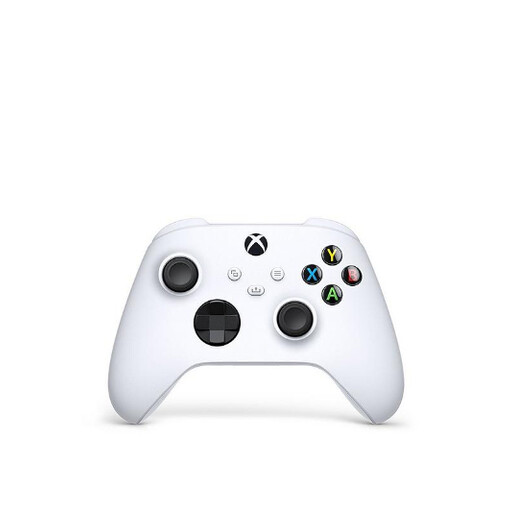
Xbox Wireless Controller for Xbox Series/PC - Robot White
Why this choice suits this profile: This wireless Xbox controller offers a familiar feel and lets you play on console or a Bluetooth-compatible PC. It also has a 3.5 mm headphone jack and vibration feedback.
The listing states compatibility with Xbox Series X and Windows 10, as well as Bluetooth support. AA batteries are not included – remember to buy some.
Bluetooth, 3.5 mm headphone jack, vibration feedback and wireless connection on both console and PC.
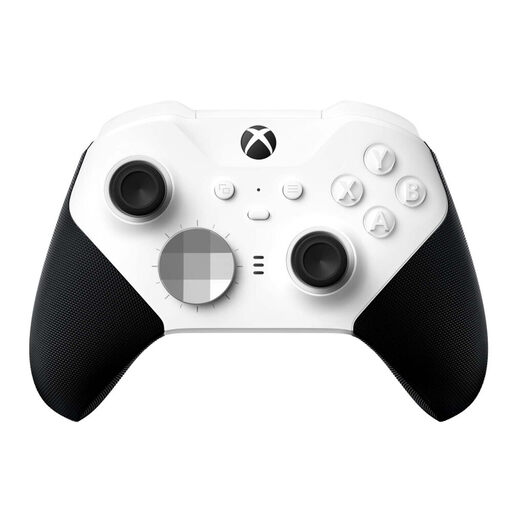
Xbox Elite Series 2 Core Wireless Controller for Xbox Series/PC - White
Why this choice suits this profile: Its rechargeable battery, customisable settings and savable profiles are aimed at gamers who want to adapt their setup from one game to the next.
The rechargeable battery saves you from regularly buying new batteries. The advertised battery life can reach 40 hours, but it varies depending on usage conditions.
Up to three profiles, button remapping, Bluetooth, Xbox Wireless and USB-C.
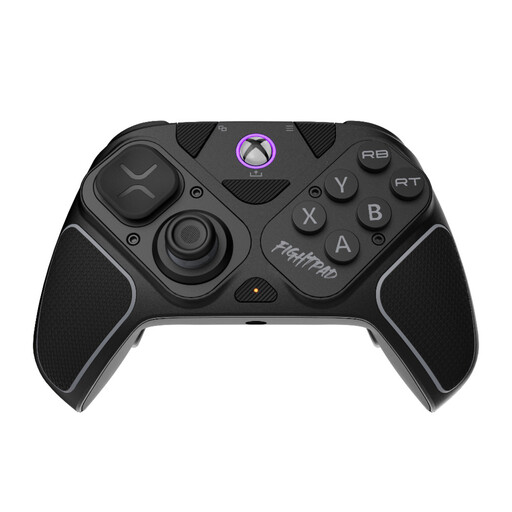
Turtle Beach Victrix Pro BFG Reloaded Wireless Modular Esport Controller
Why this choice suits this profile: Esports fans, fighting game players or FPS enthusiasts can take advantage of its interchangeable modules and four programmable rear buttons.
The listing details the components included, the trigger adjustments and the 2.4 GHz connection. However, allow a little time to get used to the different modules.
Hall effect thumbsticks and triggers, four rear buttons, interchangeable modules and USB-C connection.
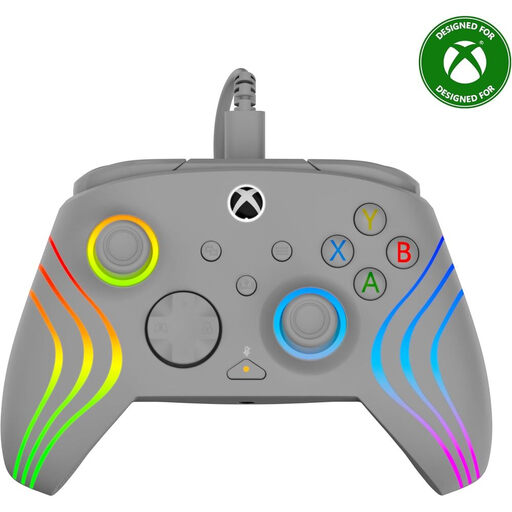
Turtle Beach Afterglow Wave Wired Controller USB Cable RGB Lighting
Why this choice suits this profile: This gamepad isn’t wireless, and that’s exactly what makes it ideal for a fixed setup on Xbox or PC – no charging or radio pairing to worry about.
The 3-metre USB-C cable is included and the controller is powered directly by the host device. On the downside, you’ll need to manage the cable and store it properly.
Hall effect triggers, two assignable rear buttons, RGB lighting and audio controls.
Frequently asked questions about wireless Xbox controllers
How do I connect an Xbox controller to a PC?
Turn on Bluetooth in Windows, hold down the pairing button on the controller until it flashes, then select “Xbox Wireless Controller” from the list of devices. You can also use a USB-C connection if the controller and cable are compatible.
What is the lifespan of an Xbox controller?
It depends on how intensively it’s used, any knocks, humidity and maintenance. With a battery-powered model, you just need to replace the power source quickly. A rechargeable Xbox controller, on the other hand, depends on the condition of its built-in battery. Avoid liquids, extreme temperatures and harsh cleaning products.
Does an Xbox controller work with a smartphone or Steam Deck?
Some models are compatible with Android and iOS via Bluetooth. For Steam Deck, check the product listing – a controller with a 2.4 GHz dongle or USB-C cable may be more suitable than one designed solely for Xbox Wireless.