
Game controller: how to choose the right model for your console or PC
Buying a game controller isn’t just about picking a colour or counting the number of buttons. An Xbox controller might be perfect for a Windows gamer, while a Joy-Con serves a very different purpose on the Nintendo Switch. Between limited compatibility, theoretical battery life and missing features, some purchases can quickly turn into disappointment.
Here are the criteria to consider before placing your order, along with a selection of models suited to different types of players.
Common pitfalls when buying a gaming controller
1. Confusing compatibility with connectivity
Just because a controller has Bluetooth doesn’t mean all its features will work on every device. A wireless controller may work with a console, PC or smartphone, yet offer different levels of support for vibration, headphone jack, motion detection or button customisation.
Always check:
- the console or system it supports;
- compatibility with Windows, Android, iOS or macOS;
- the type of connection offered: Bluetooth, proprietary protocol or USB-C;
- whether you’ll need a cable or adapter.
2. Relying solely on the advertised battery life
Battery life varies depending on volume, vibration intensity, how often you use it and the type of battery. A controller that takes AA batteries, like some Xbox models, lets you swap them out quickly. A model with a built-in battery, on the other hand, needs regular charging and may require replacing the whole controller when the battery eventually wears out.
So, treat the advertised battery life as a rough guide measured under specific conditions, not a guaranteed duration for every player.
3. Overlooking missing features
A wired controller simplifies connection and removes the need for charging, but it may lack vibration, motion sensors or a microphone. Conversely, a feature-packed controller is of little use if you mainly play strategy games or titles that don’t demand many controls.
Before you buy, check the spec sheet rather than relying on looks or the simple mention of “gaming”.
Technical parameters to check
Compatibility with your setup
For a PC controller, check which version of Windows it supports and how games recognise it. Xbox models are generally straightforward with titles that use that button layout. On PlayStation 5, the DualSense adds specific features like adaptive triggers and haptic feedback in compatible games.
With Nintendo, the difference between Joy-Con, a standard Switch controller and a Switch 2 controller is far from trivial. The features available depend on the console and the game you’re playing. So, an accessory designed for the Nintendo Switch shouldn’t be assumed to work with every device in the range.
Wired or wireless
A wired controller plugs directly into your console or PC. It doesn’t need a battery and avoids pairing issues. Just remember to check the cable length, especially if your console is several metres from the sofa.
A wireless controller gives you more freedom, but you’ll need to plan for recharging or replacing batteries. Walls, metal surfaces and other electronic devices can also interfere with the radio or Bluetooth signal.
Ergonomics, weight and control type
The shape of the grips, the distance between the sticks and the resistance of the triggers all affect comfort. For long gaming sessions, pay attention to the weight, the texture of the grip areas and whether you can remap the buttons.
The type of controller should also match the game:
- a standard controller works well for action, sports and adventure games;
- an arcade stick offers an eight-button layout, ideal for fighting games;
- a simulation joystick lets you manage multiple axes in flight sims;
- a dual-stick system, or HOSAS, is mainly for space games that use six-axis movement.
Our selection based on your profile
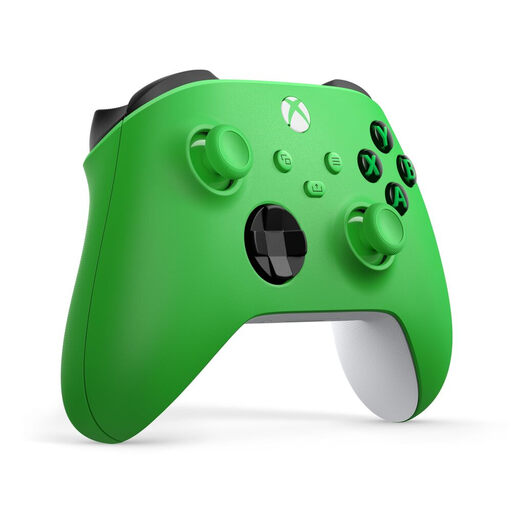
Xbox Wireless Controller for Xbox Series/PC - Velocity Green
Why this fits the profile: It connects to Xbox consoles, Windows PCs and some mobile devices via Xbox Wireless, Bluetooth or USB-C. Its familiar feel makes it a reliable choice for a first all-round controller.
The spec sheet clearly lists the three connection modes and the use of two AA batteries. So you know exactly what to expect, both in terms of cost and day-to-day use.
3.5 mm headphone jack, share button, textured triggers and an advertised battery life of up to 40 hours with the included batteries.
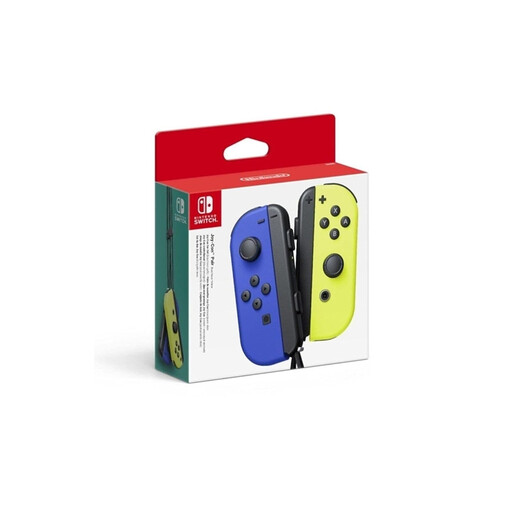
Nintendo Joy-Con Controller Pair for Switch - Neon Blue/Yellow
Why this fits the profile: Both controllers can be used separately, attached to the console or combined in the included grip. A modular design that’s ideal for households where several people play together.
The spec sheet states compatibility with Nintendo Switch and includes wrist straps for motion-based games. So the intended use is easy to verify.
HD rumble, motion controls and a built-in battery with an advertised life of around 20 hours.
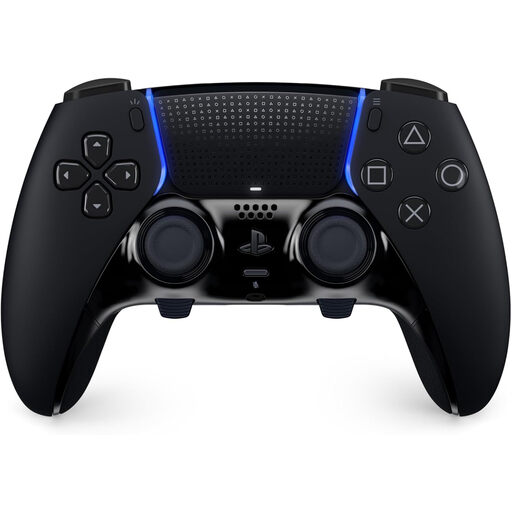
PlayStation DualSense Edge Wireless Controller for PS5 Midnight Black
Why this fits the profile: This model is aimed at players who want to tailor their setup to different games and use multiple control profiles on PS5 or PC.
The spec sheet details the settings, profiles, stick caps and interchangeable triggers. This lets you tell the difference between genuinely available features and generic marketing claims.
Bluetooth or USB-C connection, three saveable profiles, 3.5 mm headphone jack and haptic feedback with adaptive triggers in compatible games.
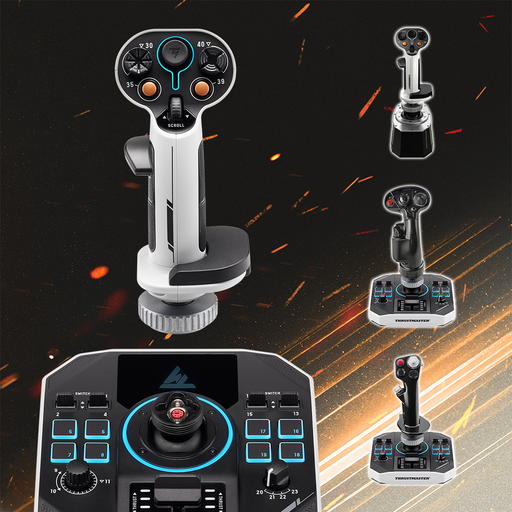
Thrustmaster Sol-R 2 HOSAS Space Sim Duo
Why this fits the profile: This dual-stick system is designed for PC gamers who play space sims and need to manage movement and rotation across multiple axes.
PC compatibility and the HOSAS configuration are clearly stated. So this isn’t a general-purpose controller for a living-room console.
Two sticks, six axes of movement, H.E.A.R.T. magnetic sensors and up to 88 assignable buttons depending on the configuration.
Frequently asked questions about game controllers
Which controller should I choose for PC gaming?
An Xbox controller or a model explicitly compatible with Windows is a practical solution for many PC games. However, do check the connectivity offered, as well as compatibility with the headphone jack, vibration and customisation software.
Is a wired controller better than a wireless one?
A wired controller avoids charging and pairing issues, but it limits you to the length of the cable. A wireless controller is better suited to a living-room setup or a clutter-free desk. So the choice depends on your space and how much you mind recharging.
How long can a controller last?
The lifespan varies depending on the materials, how often you use it, any knocks it takes and how well you look after it. Keep liquids away, store the controller in a dry place and don’t force the sticks or triggers. For models with a built-in battery, the battery life may gradually decrease over charge cycles.